
 Deutsch (Deutschland)
  Polski (PL)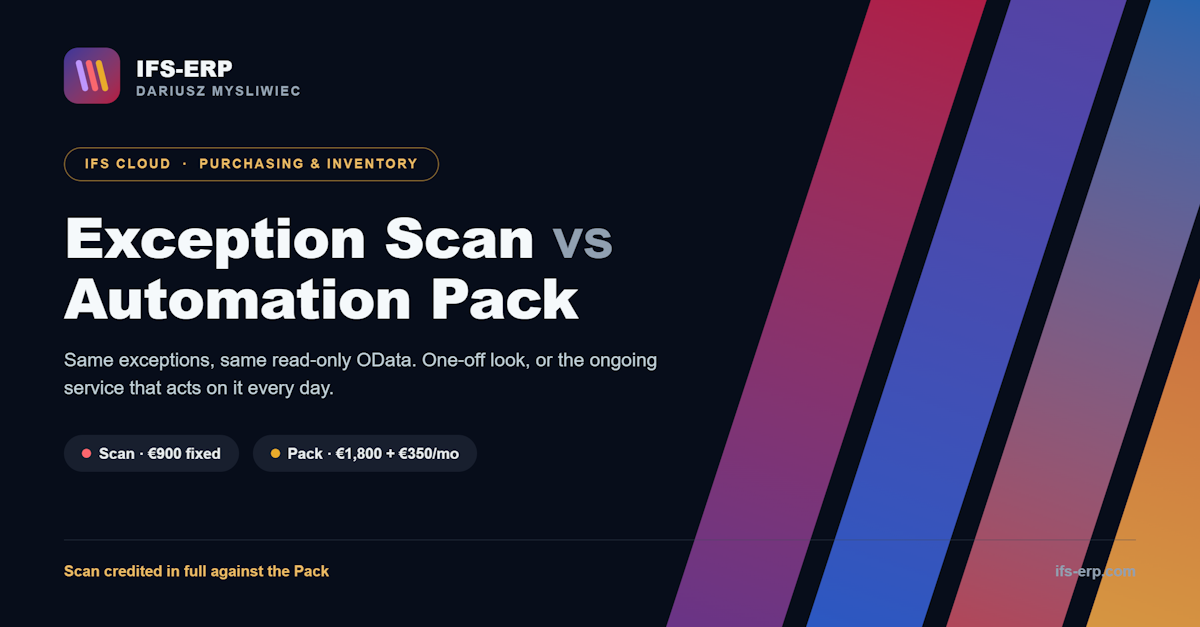

IFS Cloud · Purchasing & Inventory exception monitoring
SCM Automation Pack
A monitoring service that watches your purchasing and inventory exceptions in IFS Cloud and alerts the named owner before they become a late delivery, a stock-out or a margin leak. It runs as a container in your own infrastructure, reads IFS over OData with a read-only account, installs nothing in it, and never floods anyone with email.
- Three rules ready today: unconfirmed POs, past-due deliveries, stock below minimum
- Read-only OData access: zero objects created in your IFS
- Observation week first: nobody receives a message until you approve the list in writing
- One morning list per owner, deduplicated, never the same alert twice
1.The problem it solves
Automation is possible in IFS, but nobody has time to design it. So the controls that matter live in spreadsheets and inboxes: someone remembers to chase the unconfirmed PO, someone notices the delivery date slipped, someone spots that stock dipped below minimum. Until they don’t.
Manual policing
A buyer’s day disappears into checking states that a service could watch every morning, and the one they miss is the one that hurts.
Silent exceptions
A supplier who never confirmed, a delivery date that quietly passed, a stock level under its minimum: none of these raise an event. They stay invisible until they land as a stopped line or an urgent freight bill.
Fear of customisation
The usual fix breaks at the next release. This service installs nothing in your IFS, so “the system watches it for me” has nothing to break.
2.Three rules ready today, more on request
- SC-01 Purchase order without supplier confirmation - released for N days, no confirmation: supplier reminder plus buyer alert
- SC-02 Delivery date passed, nothing received - buyer alert with the order lines that are late
- SC-03 Stock below minimum - replenishment alert to the named owner
Each rule comes with a one-page card written for the buyer, not the developer: what it checks, who receives it, what to do with it, how to switch it off. Thresholds, recipients and the quiet window are yours to change in the panel without calling me.
Need a rule that is not on the list? A further rule is built on request (€450: design, build, documentation and a volume test on your data) or within the Plus subscription, up to 8 rules. New rules are built by me rather than by you for one reason: a rule that skips the volume test can send hundreds of emails in a single morning, and that is the one failure after which nobody reads alerts again.
3.How it works, day by day
- Day 1: read-only account. Your IFS administrator creates an integration account with read access to a few projections. Fifteen minutes, one-page instruction. Nothing is created in IFS.
- Days 2–3: 60-minute workshop. With your purchasing lead we define what “confirmed order” means in your data, on ten real orders rather than in theory, and agree thresholds and a named owner per rule.
- Days 4–10: observation. The service runs, nobody receives a message. Each day we look at the list together and ask one question per line: would you have wanted this alert? Every “no” becomes tuning.
- Day 11: written sign-off. You approve the list. Notifications go live, first to your own people only.
- Day 14: supplier reminders. After three quiet days of internal alerts, reminders to suppliers are switched on.
- Month 2 onwards. Buyers get one morning list of orders that need a reaction. You get a value report: how many alerts, how many ended in action, which rules nobody touched.
For the first week nobody receives a single message. You see exactly what the service would have sent and decide yourself which of it you want to receive.
4.Pricing
| Implementation (once) | Core | Plus | |
|---|---|---|---|
| Rules | 3 Wave 1 rules | 3 Wave 1 rules | Up to 8 rules |
| Binding to your IFS, 60-min workshop, observation week, tuning, handover, documentation | Included | Via implementation | Via implementation |
| Thresholds, recipients and quiet window changed by you (panel) | Included | Included | Included |
| Verification before every IFS release | Not included | Included | Included |
| Quarterly value report | Not included | Included | Included |
| Tuning on request, additional company or site | Not included | Not included | Included |
| Price | €1,800 once | €350/mo | €590/mo |
Implementation is paid once; then you choose Core or Plus. A further rule on request is €450. One missed delivery date in production costs more than the whole implementation. You are buying the events that don’t happen, not the configuration.
Not sure yet? The SCM Exception Scan (€900, five business days, read-only) shows the exceptions in your own data first, and the fee is credited in full against implementation within 90 days.
5.Why it stays update-safe
Nothing is installed in your IFS. The service reads a few projections over a standard OData connection with a read-only account, so there is no object, no workflow and no modification for the next R1/R2 release to break. Before each IFS release I verify that the projections the rules read still match. Decommissioning is revoking that account and stopping the container.
Three safeguards are built into every rule and are not negotiable: an observation mode that logs instead of sending until you sign the list off, deduplication so nobody gets the same alert twice, and a quiet window so a misconfiguration can never turn into an alert storm. The observation week is written into the contract.
6.What you see after a quarter
After a quarter I show you how many alerts ended in action, and I propose switching off the rules nobody reacted to.
Every purchasing manager has lived through a tool that everyone ignored after three months. This service measures itself against that: a rule with no reaction for 60 days is proposed for switch-off by me, without you having to ask. You pay for alerts that change what a buyer does that morning, not for a dashboard.
7.Why me
18 years of hands-on IFS practice (Apps 7.5–10 and Cloud). IFS Certified Associate Consultant. PRINCE2® 7. Hands-on across IFS Cloud integration (OData, read-only) and the full SCM chain: Purchasing, Requisitions, Inventory, Sales, Invoicing. You talk to the consultant who builds it, not a sales layer.
Selected clients: Fugro · LGC · BVI Medical · Betafence (PRÆSIDIAD) · Barlinek · NGK Ceramics · Newag · Oleofarm.
Independent practice. IFS is a registered trademark of IFS AB; this practice is not affiliated with IFS AB.
8.FAQ
Will this break at the next IFS upgrade?
No. Nothing is installed in your IFS: the service reads a few projections over OData with a read-only account. There is no object, workflow or modification for the next upgrade to break, and before each IFS release I verify that the projections the rules read still match.
Won’t automated alerts flood our inboxes?
The first week is observation only: nobody receives a message until you sign the list off in writing. After that, each owner gets one morning digest, alerts are deduplicated so nobody sees the same one twice, and a quiet window stops a misconfiguration from becoming a storm.
What do we need to provide?
Four things: an IFS Cloud integration account with read-only access to the relevant projections; a place to run one container (a small VM or Docker host); HTTPS network access from that machine to IFS; and an SMTP account or a webhook for notifications. Nothing on that list requires a change in IFS.
Can we change thresholds and recipients ourselves?
Yes. Thresholds, recipients, the quiet window and exclusions are your configuration and you change them in the panel without me. New rules are built by me, because each one needs a volume test on your data before it is allowed to send anything.
Can we add rules beyond the three?
Yes. A further rule is €450 on request (design, build, documentation, volume test) or included within Plus, which covers up to 8 rules. The scope stays within SCM: purchasing, inventory, sales and invoicing.
Does the service write anything to IFS?
No. It reads and notifies. The integration account has read access only, and the rules run on a daily cycle rather than reacting to live events, which is the right rhythm for exceptions defined by something that did not happen for days.
What happens when we stop?
Your administrator revokes the integration account and you stop the container. That is the whole procedure, and it is part of the documentation you receive. Nothing remains in IFS because nothing was ever put there.
See it on your data
Book a 30-minute fit call. Tell me where your buyers lose time today, and I’ll show you what the three rules would flag in your own IFS, with a fixed price and an observation week before anyone receives an email.
